How Do Storage Units Work? The Complete Beginner’s Guide
Self-storage is a simple concept: you rent a locked room inside a secure facility to hold your belongings for as long as you need. Units come in different sizes, usually on flexible month‑to‑month terms. You bring your items, load the space, and access them during posted hours—often 24/7—using a code, key, or smartphone app. Many facilities offer climate‑controlled rooms to protect sensitive items from heat, cold, and humidity.
This beginner’s guide explains how storage units work from start to finish: choosing between self‑storage and full‑service, comparing indoor, outdoor, drive‑up, and climate options, and picking the right size. You’ll learn the rental process, pricing and fees, payments and lien rules, what you can and can’t store, insurance, security features, modern keyless access, and practical packing and organizing tips. We’ll also cover lease length, move‑out, common use cases, and local climate considerations—so you can rent with confidence. Let’s get started.
Self-storage vs full-service storage: what’s the difference?
If you’re asking how do storage units work, start with this choice. With self-storage, you rent a unit, bring your items, and control access—typically on flexible month‑to‑month terms with options like climate control and even 24/7 entry. Full‑service storage is valet‑style: the company picks up, inventories, and returns items on request via an app, often at a higher cost and with possible minimum terms.
- Self-storage: You transport, pack, and arrange; pay month‑to‑month; generally more budget‑friendly.
- Full-service: Provider handles pickup/return and inventory; convenience costs more; minimums are common.
- Best for control: Self-storage suits frequent access and flexibility—you decide when to visit.
- Best for convenience: Full-service fits dense cities or car‑free renters willing to trade cost for ease.
Next, let’s look at unit types and access options.
Unit types and access options: indoor, outdoor, drive-up, climate control
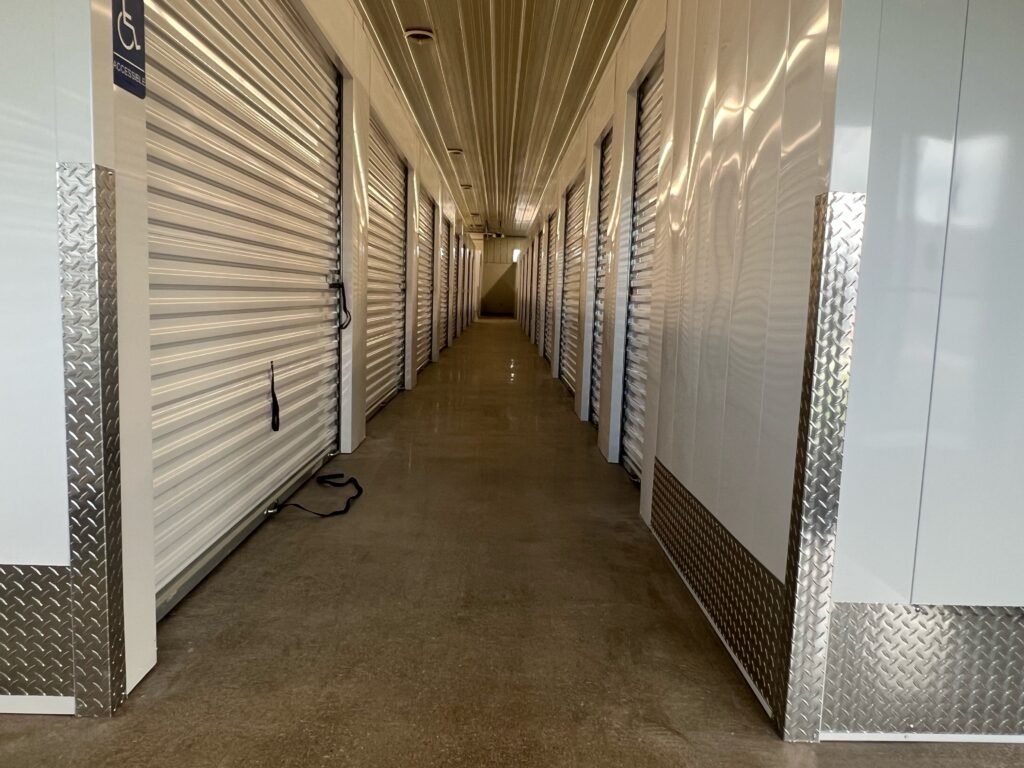
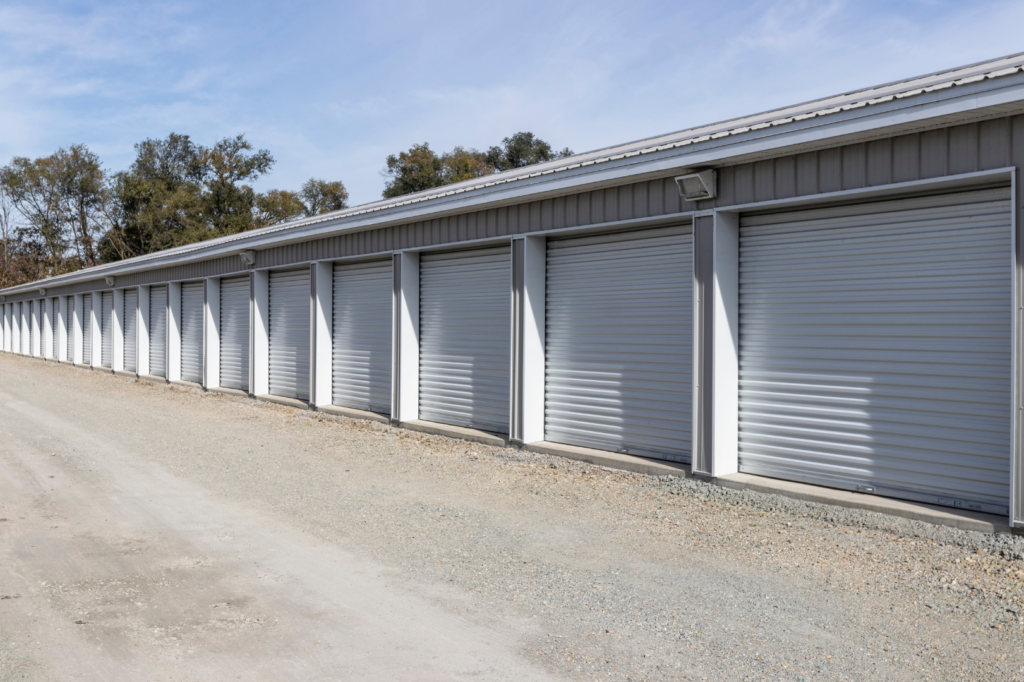
Understanding unit types is a big part of how do storage units work because it determines protection, convenience, and price. Indoor units sit inside a building and are accessed from interior hallways; they’re popular for keeping items away from weather and pests and often pair with climate control. Outdoor units are more like a garage—great for quick loading. Drive‑up access lets you park right at the door, which is ideal for heavy or frequent moves. Climate‑controlled units stabilize temperature and humidity to help protect sensitive belongings.
- Indoor (hallway access): Better shielding from the elements; often the most secure; may use carts/elevators.
- Outdoor (garage-style): Typically no climate control; fastest in-and-out; handy for bulky items.
- Drive-up access: Park beside your unit; best for frequent visits or heavy loads.
- Climate-controlled: Maintains stable conditions; recommended for electronics, wood furniture, photos, textiles.
- Modern combo: Many facilities offer indoor, climate‑controlled units with 24/7 entry via code or smartphone for added convenience.
Storage unit sizes and what fits in each
Choosing the right size is central to how do storage units work because it balances cost with usable space. Think about what you’ll store, how often you’ll need to access it, and whether you want a center aisle for easy reach. Many facilities have units with roughly 8-foot ceilings (typical at major brands), which means you can stack to maximize space—just keep weight off fragile boxes and leave room to move.
- 5×5 (closet): Boxes, seasonal décor, a few totes, small appliances, or sports gear.
- 5×10 (walk‑in closet): Studio items—mattress set, dresser, bike, 10–15 boxes.
- 10×10 (one‑car garage feel): 1–2 rooms of furniture; often ~800 cubic feet at typical 8-ft height.
- 10×15 (small home/apt): 2–3 rooms, large appliances, sectional sofa, mattresses.
- 10×20 (whole home overflow): 3–4 rooms, appliances, shelving, business inventory.
If you’re between sizes, go larger to keep a clear pathway and protect furniture. Keyless Storage offers popular sizes like 5×5, 10×10, 10×15, and 10×20 to match most household and business needs.
How renting a storage unit works step-by-step
If you’re new to self-storage, the process is straightforward and mostly online. Most facilities rent month-to-month, require a valid photo ID, and let you manage everything from payments to access without visiting the office. Here’s how renting a storage unit works from first click to move‑in.
- List what you’ll store: Estimate boxes and furniture so you can choose the right size.
- Pick unit type: Decide on indoor vs. outdoor/drive‑up and whether you need climate control.
- Check availability and pricing: Compare locations, features, and access hours (some offer 24/7).
- Reserve/rent online: Enter your info, select a move‑in date, and create an account for autopay.
- Verify identity and sign lease: Provide a government‑issued ID and sign a month‑to‑month agreement.
- Choose insurance: Most facilities require coverage—use homeowners/renters or the facility’s policy.
- Get your access method: Receive a gate code, key, or app-based digital key for keyless entry.
- Lock and supplies: Purchase an approved lock if needed (keyless units don’t require one); gather boxes, pads, and a dolly.
- Pay initial charges: First month’s rent plus any one‑time admin/lock fees, then confirm your move‑in instructions.
Up next: what costs and fees to expect—and how pricing works.
Costs, fees, and pricing factors
When people ask how do storage units work on price, the short answer is: you pay a monthly rent based on size, features, and location, plus a few one‑time or required add‑ons. Most leases are month‑to‑month, and many facilities run move‑in specials that reduce your first bill.
- Your monthly rent: Driven by unit size and amenities. Climate control, indoor access, and prime locations generally cost more than basic outdoor spaces.
- One‑time admin fee: Many brands charge an onboarding fee (some list ~$29).
- Lock or access: Traditional units may require buying a lock (often ~$19.99). With Keyless Storage’s smartphone entry, you won’t need a padlock.
- Insurance: Most facilities require stored property coverage; you can use a homeowners/renters policy if it applies or buy the facility’s plan.
- Taxes/required fees: Local taxes or small required fees may apply; details are in the lease.
- Promotions: First‑month free or half‑off offers are common at many providers and can lower upfront costs.
At Keyless Storage, all units are 100% climate‑controlled with 24/7 access and competitive rates, so you can compare sizes online and reserve instantly without surprise lock purchases.
Payments, late fees, and lien laws explained
Here’s how payments work in self-storage: rent is typically due monthly on a set date, and most facilities let you pay online or set up autopay. If you miss a payment, a late fee (defined in your lease) may apply, and after a default window—often 5–30 days—your access may be suspended. Continued nonpayment can trigger state lien laws that allow the facility to sell stored goods after required notices.
- Due dates: Monthly rent with a clear billing cycle and grace terms in your lease.
- Late fees: Assessed per the contract; amounts and timing vary by facility.
- Default and access: After default, gate codes/app access can be disabled until you’re current.
- Lien process: Facilities must send notices; unpaid units may be auctioned under state law.
- Prevent issues: Enable autopay, keep your card current, and contact the manager early if you need help.
Insurance for stored property: what’s covered and how to choose
Insurance is a core part of how do storage units work. Most facilities require coverage, and you can typically use your homeowners or renters policy if it covers off‑premises items. Note that many home policies cap off‑premises coverage (often around 10% of personal property limits), and some exclude items in storage, which is why facilities often offer dedicated storage insurance at signup.
- Check your existing policy: Confirm off‑premises coverage applies to a storage unit, the limit, deductible, and claim process.
- Know what’s covered: Look for protection against theft, fire, smoke, and certain water events; review exclusions like floods, vermin, and mold.
- Match your coverage amount: Choose a limit that reflects replacement value; some leases set a unit value cap (e.g., $5,000 is common).
- Understand deductibles and cost: Compare your insurer vs. a facility‑offered plan for price and convenience.
- Document your items: Keep an inventory with photos and receipts; store it outside the unit for easy claims.
What you can and can’t store (including special items)
A big part of how do storage units work is knowing what’s allowed. Most household and business items are fine, but facilities ban anything dangerous, illegal, or likely to attract pests. Climate-controlled units—like every unit at Keyless Storage—are ideal for electronics, wood furniture, photos, textiles, and other temperature‑sensitive belongings.
- Commonly allowed: Furniture, appliances, electronics, clothing, business inventory, and sporting gear.
- Special items (best practices):
- Photos, antiques, instruments, media: Use climate control for stability.
- Wine: Only in facilities that offer dedicated wine storage.
- Vehicles: Allowed only at locations with vehicle storage; typically must be in working order.
- Gray areas: Ask the manager about anything questionable.
- Not allowed (typical bans): Food/perishables, drugs, anything illegal, flammable/combustible items (gas, propane tanks, car batteries), hazardous chemicals, and vehicles not in working order.
- Activities prohibited: You can’t live or sleep in a unit, and you can’t use it as a workshop.
When in doubt, check the facility’s rules before you move in.
Security features that keep your unit safe
When you’re learning how do storage units work, think in layers: the best facilities combine perimeter controls, smart entry, and on‑site vigilance. You want deterrence (lighting, cameras), controlled access (codes or smartphone entry), and unit‑level protection (locks or alarms). At Keyless Storage in Sioux City, every unit is protected by 24/7 video security and smartphone‑enabled locks for convenient, key‑free security.
- 24/7 video surveillance: Continuous monitoring of entrances, hallways, and common areas deters theft.
- Electronic gate/building access: Unique codes or smartphone credentials control who enters and when.
- Lighting and visibility: Bright, well‑lit corridors and lots discourage tampering and improve safety.
- Unit‑level security: Individually alarmed units at some sites; sturdy doors with approved disc locks—or keyless smart locks.
- Floor‑restricted access (select buildings): Elevators and doors can limit access to your floor only.
- On‑site presence: Staff or resident managers at some facilities add oversight and quick response.
Next up: access hours and how entry works, from codes and keys to truly keyless options.
Access hours and how entry works (codes, keys, and keyless)
Access hours are separate from office hours. Many facilities allow entry from early morning to late evening—often 6am–10pm—and some offer 24/7 access. Entry is controlled with electronic systems: you’ll use a unique gate/building code, a physical key and lock at the unit, or a keyless smartphone credential. At Keyless Storage, units are accessible 24/7 with smartphone‑enabled entry, so you can visit anytime without a physical key.
- Know your hours: Check posted gate/building access vs. office hours; request 24/7 if you need it.
- Gate/building entry: Use your personal code or approved smartphone app to enter.
- At the unit: Unlock with your disc lock key—or tap to unlock if your unit is keyless.
- Keep credentials secure: Don’t share codes; remove former helpers from app access.
- If late on rent: Facilities can disable codes/app access until your account is current.
Modern keyless access: how smartphone entry works
Modern facilities use app-based entry so you can unlock gates, doors, and your unit with your phone—no keys, no padlocks, no office visit. Here’s how do storage units work with keyless access at Keyless Storage: once you rent online and verify your identity, your account is issued secure mobile credentials. Open the app on arrival, tap to enter the building, and tap again to unlock your unit—24/7. If your account becomes past due, digital access can be disabled until you’re current.
- Getting started: Rent online, create your account, download the app, and activate your digital key.
- On-site: Tap to enter and to unlock your unit—load and go.
- Peace of mind: No lost keys, and you control your secure login.
Packing and preparation tips to prevent damage
Good packing is your best insurance. Even with climate control, items need to be clean, dry, cushioned, and sealed to resist time, gravity, and the occasional bump. Before you load your unit, prep everything so it can sit safely for weeks or months without warping, scratching, molding, or breaking.
- Clean and dry first: Wipe furniture, wash and fully dry fabrics, and be sure nothing is damp—moisture invites mold on paper, textiles, and wood.
- Use sturdy containers: Choose strong boxes or clear plastic bins; don’t overpack, and fill voids with packing paper or bubble cushioning.
- Wrap fragile items: Pad dishes and glass individually; pack plates upright; use TV/artwork boxes for screens and framed pieces.
- Disassemble and pad furniture: Remove legs and shelves, bag and label hardware, and protect surfaces with moving blankets or stretch wrap (avoid tape on finished wood).
- Protect mattresses: Use a mattress cover; if space allows, lay the mattress flat on top of stable boxes to preserve its shape.
- Seal and label well: Tape all seams, label multiple sides, and keep a photo inventory for quick reference and insurance purposes.
Smart ways to load and organize your unit
A smart layout saves time and prevents damage. Think about how do storage units work in practice: you’ll be moving things in and out over months, so plan for easy access. Stage items by frequency of use, build safe stacks, and leave yourself a clear path so you’re not climbing over boxes later. Use furniture cavities (drawers, cabinets) as protected “containers,” and photograph the final setup so helpers can put things back the same way.
- Create a center aisle: Leave 18–24 inches to reach the back.
- Heavy-to-light stacking: Heaviest, sturdiest boxes on the bottom; fragile up high.
- Go vertical with shelves: Add freestanding shelving if allowed to maximize height.
- Zone and label: Group by room or project; keep “grab‑often” items up front.
- Make a door map: Tape a simple layout and box index inside the door.
Move-in day checklist and first visit tips
Your first trip sets the tone for safe, stress‑free storage. If you’re new to how do storage units work—or using smartphone entry—plan a quick precheck at home, then a short on‑site routine. You’ll load faster, protect your items, and leave with confidence that everything’s secure.
- Confirm access: Verify your lease, first payment, insurance, unit number, and access hours (some locations are 24/7).
- Prep your phone: Fully charge it, install the access app, and ensure your digital key is active; keep your login handy.
- Bring essentials: Photo ID, moving blankets, straps, tape, box cutter, labels/marker, and a dolly or hand truck. Traditional units need an approved lock; keyless units don’t.
- Inspect the unit: Check that it’s clean and dry; test the door and locking mechanism; photograph condition before loading.
- Stage for safety: Load heavy items first, pad wood and glass, keep boxes under shoulder height, and face labels outward.
- Leave an aisle: Maintain an 18–24″ center path so you can reach the back without restacking.
- Secure before you go: Lock the unit (or confirm the app shows it locked), verify the door is fully latched, and test gate/building re‑entry.
- Tidy up: Remove trash, stack carts where they belong, and note anything to add on your next visit (extra shelves, more bins).
- Update your account: Enable autopay and, if using keyless access, add/remove trusted helpers’ permissions as needed.
Personal and business use cases (moving, renovation, inventory, college, military)
If you’re wondering how do storage units work in real life, think of them as a flexible buffer for life and business—perfect when timelines shift or space runs out. Month‑to‑month terms keep you agile, climate control safeguards delicate items, and modern keyless, 24/7 access lets you stay in control without juggling keys.
- Moving and staging: Bridge gaps between leases or closings and keep home‑staging clutter off‑site for cleaner showings.
- Renovation and remodeling: Clear rooms, protect furniture and electronics from dust and humidity, and keep hallways free during construction.
- Business inventory and equipment: Store overflow stock, files, tools, or samples; 24/7 access and shareable app credentials simplify team pickups.
- College and study abroad: Park dorm essentials near campus during summer or a semester away instead of hauling everything home.
- Military deployment and PCS: Keep personal belongings safe during deployment or relocation with flexible, no long‑term commitments.
How long you can rent, renewals, and move-out
Most self-storage leases are month-to-month and auto-renew until you cancel, which is why understanding how do storage units work includes knowing your notice and move-out steps. Some companies require a minimum term (often three months), so check your agreement. To end your rental, you typically must give notice before your next billing date, empty and clean the unit, remove your lock (or end digital access), and confirm the account is closed. Final-month proration and fee policies vary by facility—review your lease.
- Set your end date: Submit notice online/in app or with the office by the deadline in your contract.
- Empty and clean: Remove all items, sweep, and don’t leave trash or prohibited materials.
- Secure the unit: Remove your lock (or verify keyless access is disabled) and close the door fully.
- Confirm checkout: Get written confirmation your unit is vacated and your account is settled.
- Staying longer? Do nothing—your lease continues month-to-month until you give proper notice.
Climate control and weather considerations for Sioux City renters
Sioux City sees the full Midwestern cycle—hot summers, cold winters, and humidity swings—so climate control is not a luxury, it’s protection. In climate‑controlled storage, temperature and humidity are stabilized (many providers maintain roughly 55–80°F), helping prevent warping, cracking, and mildew. The CDC notes mold can grow on paper, cardboard, textiles, and wood, so dry, stable conditions matter. If you’re asking how do storage units work locally, 100% climate control plus ground‑floor, 24/7 access makes your unit a steady, indoor extension of home.
- What needs climate control: Electronics, wood furniture, photos, instruments, documents, textiles.
- Winter tip: Skip liquids/paints; let cold items acclimate before powering electronics.
- Summer tip: Don’t move candles/wax after a hot car sit; keep loads shaded.
- Humidity tip: Pack items bone‑dry, use sealed bins, add desiccant as backup.
- Weather logistics: Use ground‑floor, 24/7 access to dodge storms; pad entries to keep slush/water out.
Key takeaways and next steps
Storage is simple: you rent space, load it, and access it when you need—ideally in a climate‑controlled, secure facility with transparent pricing and flexible terms. Now you know how unit types, sizes, costs, payments, insurance, rules, security, packing, and access all fit together so you can rent with confidence and avoid surprises.
- Month‑to‑month rentals: Choose the right size and features (climate control, 24/7).
- Clear costs: Rent plus admin/lock/insurance; autopay avoids late fees and lien issues.
- Insure smart: Confirm off‑premises coverage or buy a storage policy.
- Follow rules: No flammables, perishables, illegal items; no living/working in units.
- Protect items: Clean, dry, pad, label; leave an aisle; use climate control in Sioux City.
- Prioritize security: Cameras, controlled entry, and keyless smartphone access.
Ready for a modern, key‑free experience? Reserve in minutes at Keyless Storage—Sioux City’s 100% climate‑controlled, ground‑floor facility with 24/7 smartphone entry and video security.