24 Hour Access Self Storage: What It Is, Costs, Locations
“24 hour access self storage” means you can get to your unit anytime—day or night, 365 days a year—without waiting for office or gate hours. Instead of traditional keys, most 24/7 facilities use secure gate codes, fobs, or smartphone apps to open gates and unit doors. It’s handy for late-night moves, shift work, business runs before dawn, or urgent grabs on a holiday. Not every storage site offers true around-the-clock entry (some only extend hours), so it’s important to confirm the exact access window and the rules that apply after hours.
This guide explains what 24/7 access really looks like, who benefits most, and how modern systems—especially keyless, app-based entry—make off-hours visits smoother and safer. You’ll learn the pros and cons, the security features to demand, climate-control basics, typical rates and fees (and what drives them), how to compare units near you, and what fits in common sizes. We’ll also cover after-hours rules, safety tips, business and vehicle storage, alternatives if you don’t need full 24/7, where to find locations nationally and locally, what to expect in Sioux City, IA, and a quick step-by-step to rent online and handle insurance. By the end, you’ll know exactly how to choose—and book—the right unit.
Who 24/7 self storage is best for
If your life doesn’t fit into 9–5, 24 hour access self storage keeps you moving on your schedule. It’s especially useful when timing is tight—late-night moves, pre-dawn job starts, weekend inventory runs, or last‑minute gear grabs—so you don’t lose hours waiting on gate times.
- Shift workers and first responders: Grab or drop items before or after overnight, early, or rotating shifts.
- Small businesses and contractors: Access tools, parts, and inventory anytime to cut downtime and make same‑day jobs possible.
- E‑commerce sellers: Handle after-hours order prep, returns, and seasonal overflow without bottlenecks.
- Frequent travelers and military: Pack or retrieve luggage and essentials around flight times or PCS timelines.
- Apartment and condo residents: Move during off-peak elevator hours, evenings, or weekends without crowding.
- Students and families: Manage dorm move-outs, holiday storage, and weekend projects on flexible timelines.
- Hobbyists and creatives: Photographers, musicians, and athletes can access gear for late gigs or early practices.
- Vehicle owners: Prep motorcycles, trailers, or boating gear for pre-dawn departures and late returns.
How 24/7 access actually works (gates, codes, apps)
At a true 24 hour access self storage facility, entry is automated and tied to your account, so you don’t wait on office hours. Access typically layers security: an electronic gate, a building door (for indoor units), and your unit. Facilities enable this with keypad PINs, fobs, or a smartphone app, supported by features like video surveillance and electronic gate control.
- Arrive and authenticate: Pull up to the gate and enter your unique code, scan a fob, or use the facility’s mobile app to open it.
- Enter the building (if indoor): Use your code/app again at the building door. Some properties also control elevator or floor access for added security.
- Reach your unit: Drive up (for outdoor/drive-up units) or roll carts indoors. Follow posted rules for speed, parking, and loading zones.
- Unlock the unit: Open with your lock and key, or tap to unlock with a keyless, app-based smart lock when provided.
- Close out and exit: Secure your door, verify it latched, and use your code/app at the exit gate. Security systems remain active after hours.
Most large brands offer extended hours by default (often 6 a.m.–10 p.m.) and provide true 24/7 at select locations—always confirm the exact access window for your site.
Why keyless access matters for around-the-clock entry
When you’re pulling in at 2 a.m., speed and certainty beat everything. Keyless systems replace traditional padlocks with secure, app-based or code-based entry that works on the gate, building, and your unit—so you’re never stuck waiting for office help. For true 24 hour access self storage, this means fewer bottlenecks, fewer lost-key headaches, and a smoother trip from curb to unit any time of day.
- Faster entry: Tap your phone or use a unique PIN to move through gates, doors, and your unit without fumbling for keys.
- Fewer lockouts: No physical key to misplace, so late-night visits don’t turn into delays.
- Stronger control: Unique digital credentials pair with electronic gates and 24/7 video for layered security after hours.
- Better for teams: Businesses can give authorized staff their own codes for off-hours tool or inventory runs.
- Truly contact-light: App-based doors minimize keypad touches at the unit and keep trips quick and efficient.
Pros and cons of choosing 24/7 access
Choosing 24 hour access self storage gives you true schedule freedom, but it also comes with trade-offs. If you value late-night or early-morning flexibility, the benefits are clear—especially for business, shift work, and urgent pickups. Just make sure the site offers true 24/7 (not only extended hours) and that you’re comfortable with after-hours rules and security.
- Total flexibility: Enter any time, 365 days a year—no waiting on office or gate hours.
- Less congestion: Move or load during quiet off-peak times to save time and stress.
- Business uptime: Support same-day jobs, emergency pulls, and weekend operations.
- Easy team access: Unique codes or app credentials for staff without sharing keys.
- Smooth visits with tech: Keyless/app entry reduces lockouts and lost-key delays.
- Limited on-site staff after hours: Expect remote monitoring and posted procedures.
- Strict rules apply: No sleeping or living in units; violations can lead to eviction.
- Tech dependence: Phone/app or dead battery can slow entry—keep a backup PIN.
- Not universal: Some facilities only offer extended hours; always verify true 24/7.
Security features to prioritize at 24/7 facilities
Around-the-clock entry is only as good as the protection behind it. When comparing 24 hour access self storage, look for layered security that controls who gets in, where they can go, and what happens if something isn’t right—especially when staff may not be on-site overnight.
- Well‑lit property: Bright, well‑lit drive aisles, hallways, and entrances improve visibility and deter activity.
- 24/7 video surveillance: Continuous cameras at gates, corridors, and common areas provide coverage and evidence if issues arise.
- Electronic gate access: Secure gates that open via unique PINs, fobs, or a mobile app tie entry to your account.
- Individually alarmed units: Door alarms add unit‑level protection and alert the system to unauthorized access.
- Floor/elevator controls (indoors): “Access to your floor only” limits movement within multi‑story buildings.
- Keyless smart locks: App-based unit locks reduce lost‑key risks and strengthen credentialed access after hours.
- On-site resident manager (where offered): Some locations add an extra set of eyes; others rely on remote monitoring—know which you’re getting.
- Clear after‑hours policies: Posted rules on loading zones, tailgating, and lock checks keep everyone safer during late visits.
Ask the manager to demonstrate gate/app entry and confirm camera coverage, alarmed units, and lighting before you book.
Climate control essentials for anytime access
Late-night or pre‑dawn visits often coincide with the day’s biggest temperature swings. Pairing 24 hour access self storage with climate control helps protect what’s inside—and makes off‑hours loading more comfortable. Many reputable facilities keep climate‑controlled spaces within a stable range—typically 55–80°F—and some offer humidity‑controlled or heated storage at select locations. That stability matters for electronics, wood furniture, photos, musical instruments, business inventory, and other temperature‑sensitive items.
- Know the range: Verify the posted temperature band (often 55–80°F) and that it’s maintained around the clock, not just during office hours.
- Ask about humidity/heating: Some sites offer humidity control or heated storage—useful for sensitive goods or cold‑weather access.
- Choose indoor units: Indoor, building‑access units reduce exposure to outdoor heat, cold, and precipitation during off‑hours visits.
- Confirm continuity: Ensure climate systems run 24/7 and that after‑hours entry doesn’t bypass conditioned areas.
- Store the right items: Climate control doesn’t change restrictions—avoid storing food, plants, or anything perishable or hazardous.
What 24/7 self storage costs (typical rates and fees)
With 24 hour access self storage, you’ll pay standard monthly rent plus a few common move‑in items. Rents vary widely by city, size, and amenities. Major brands publicly advertise low “starting at” prices for small units—examples range from about $6–$7/month in some East Coast cities to $20–$28+ in larger metros like San Francisco and San Jose. Many locations run move‑in specials (first month free or half‑off). Leases are typically month‑to‑month. True 24/7 entry is offered at select properties—always confirm availability at your specific facility and whether any access conditions apply.
| Charge | What to expect |
|---|---|
| Monthly rent | Varies by size/location; published “starting at” rates can be $6–$28+ in select cities |
| Move‑in specials | Often first month free or first month half‑off |
| Admin fee | $29 one‑time, non‑refundable |
| Lock charge | $19.99 one‑time; may be refundable with an approved lock; not for digital‑access units |
| Insurance | Required; use homeowners/renters insurance or a facility plan (cost varies) |
| 24/7 access availability | Offered at select facilities; confirm availability and any conditions |
Price factors that change your monthly rate
Your monthly rent for 24 hour access self storage is driven primarily by unit size and location, then adjusted by features and availability. Promotions change your first invoice, but the base rent is tied to demand at that specific facility and the amenities tied to your unit. Remember that one-time charges (like a $29 admin fee and a $19.99 lock charge at some brands) aren’t rent, but they do affect your upfront cost.
- Unit size: Larger spaces cost more; common sizes (5×5 to 10×20) scale with price.
- Location and demand: City, neighborhood, and corridor traffic influence rates.
- True 24/7 availability: Offered at select sites; limited inventory can affect pricing.
- Climate control: Temperature/humidity-controlled units can be priced differently than standard units.
- Access type: Indoor vs. drive-up, ground-floor convenience, and elevator/floor controls can impact rates.
- Security level: Individually alarmed units, keyless smart locks, and robust surveillance may influence pricing.
- Unit type (vehicle vs. personal): Car, motorcycle, or boat/RV storage is priced differently than standard units.
- Promotions and term: Move-in specials (e.g., first month free/half-off) lower initial cost; leases are typically month-to-month.
- Insurance: Required coverage isn’t “rent,” but it adds to your monthly storage expense.
How to compare 24/7 storage units near you
Listings often blur “extended hours” with true 24 hour access self storage. To compare apples to apples, confirm the exact access window, the tech you’ll use to get in, and the total first-month cost—then weigh security, climate, and convenience against price. Here’s a quick checklist to evaluate 24/7 storage units near you:
- Access window: Verify true 24/7 vs. 6 a.m.–10 p.m. and any blackout dates.
- Entry tech: Keyless/app access or keypad PIN? Ensure a backup code works if your phone dies.
- Security layers: 24/7 video, bright lighting, electronic gate, floor-only elevator access, and individually alarmed units.
- Climate specs: Confirm a 55–80°F range and whether humidity control or heated units are offered.
- Unit convenience: Ground floor, indoor vs. drive-up, carts, wide aisles, loading zones.
- Price clarity: Base rent, promos, plus fees like a one-time admin fee ($29), lock charge ($19.99), and required insurance.
- Business/team use: Unique codes for staff and activity logs.
- After-hours rules: Tailgating, parking limits, and lock checks.
- Availability: Ask about waitlists for your ideal size and location.
Common unit sizes and what fits in each
Picking the right size keeps costs down and late‑night trips simple. Most 24 hour access self storage facilities offer reduced‑height lockers plus standard units from 5×5 up to 10×20. Typical units are about 8 feet tall (confirm locally). Use climate control for temperature‑sensitive items, and remember standard restrictions still apply (no food, hazardous materials, or vehicles that aren’t in working order).
| Size (WxL) | Common uses (examples) | Notes |
|---|---|---|
| Locker (2×2–4×5, reduced) | Documents, small boxes, seasonal decor, keepsakes | Reduced-height; budget-friendly for light storage |
| 5×5 | Several boxes, small appliances, electronics, sports gear | “Closet-style” extra space |
| 5×10 | Boxes plus a few furniture pieces (e.g., dresser, chairs), bikes | Good starter size for studio/overflow |
| 10×10 | Multiple rooms’ worth, larger furniture, appliances, inventory | Popular mid-size for home or small business |
| 10×15 | Bulkier furniture, equipment, business stock, staging pallets | Extra depth for awkward items |
| 10×20 | Larger loads and racking; select sites allow vehicles (working) | Confirm vehicle policies and unit door clearance |
Ceiling heights can vary by facility, and some urban sites offer reduced‑height units to save money. If you’re unsure, ask the manager to confirm interior dimensions, door clearance, and whether vehicle storage is permitted in a specific unit at that location.
Rules and restrictions most facilities enforce after hours
Late-night entry is a privilege tied to safety. Even at true 24 hour access self storage facilities, tenants must follow clear rules because staff may not be on-site. Expect your lease and posted signs to spell out specifics; violations can lead to alarms, suspended access, or eviction. Review these policies before your first after-hours visit so you can get in, load up, and get out without issues.
- No sleeping or living in units: It’s illegal and grounds for eviction.
- No workshops or running a business inside the unit: Storage use only.
- Prohibited items still apply: No food, drugs, animals/plants, or anything flammable/combustible.
- Vehicle rules: Units generally can’t house vehicles that aren’t in working order.
- No code sharing or “tailgating”: Many sites assign unique credentials; don’t let others follow you in.
- Keep doors secure: Don’t prop building doors; close and lock your unit before exiting.
- Respect posted site rules: Follow loading-zone instructions, speed limits, and no‑loitering guidelines.
Safety tips for late-night or early-morning visits
Late or early visits are fastest when you arrive ready and move with purpose. Aim for well-lit paths, keep credentials handy, and treat every gate, hallway, and door as a controlled space. If staffing is limited overnight, lean on the site’s posted rules, remote monitoring, and your own checklist to get in, load, and exit smoothly.
- Bring a buddy (or share your plan): Tell someone your ETA and share your location.
- Choose bright, camera‑covered areas: Park close to entrances and avoid dark corners.
- Charge your phone first: Keep the app ready and know your backup PIN.
- Watch for tailgating: Don’t let others follow in on your code or app open.
- Move efficiently: Pre-pack, use carts, and keep aisles and exits clear.
- Lift safely: Wear gloves and closed‑toe shoes; bend at the knees.
- Secure every door: Don’t prop entrances; lock your unit and vehicle before you leave.
- Know who to call: Save the posted emergency number—and use 911 if you feel unsafe.
24/7 storage for businesses and contractors
For crews on deadlines and teams on call, 24 hour access self storage keeps jobs moving. Contractors can grab tools before dawn, e‑commerce sellers can stage late shipments, and service pros can handle emergency parts runs without waiting on office hours. Keyless, app-based entry with unique staff codes streamlines handoffs, while climate-controlled units help protect inventory, electronics, and materials. Month‑to‑month leases let you scale up or down with seasons and projects—just remember units are for storage only, not as a workshop or storefront.
- Anytime pickups/drops: Support rush jobs, weekend installs, and after‑hours emergencies.
- Team credentials: Issue individual PINs/app access and track activity logs for accountability.
- Climate protection: Stable 55–80°F helps safeguard SKUs, devices, samples, and media.
- Ground-floor convenience: Faster loading with wide aisles, carts, and easy parking.
- Layered security: Electronic gate control, 24/7 video, and (where offered) individually alarmed doors.
- Flexible footprint: Add a second unit, change sizes, or join a waitlist as demand shifts.
- Organize for speed: Use labeled bins and (if allowed) freestanding shelving; keep a clear center aisle.
24/7 access for vehicle storage (cars, motorcycles, RVs, boats)
Early launches and late returns are where 24 hour access self storage shines for vehicles. Whether you’re staging a motorcycle for a dawn ride, tucking a car away between trips, or parking an RV/boat after a weekend, true around‑the‑clock entry lets you come and go on your schedule. Vehicle storage options vary by facility, so confirm what’s offered and that 24/7 access applies to your specific space.
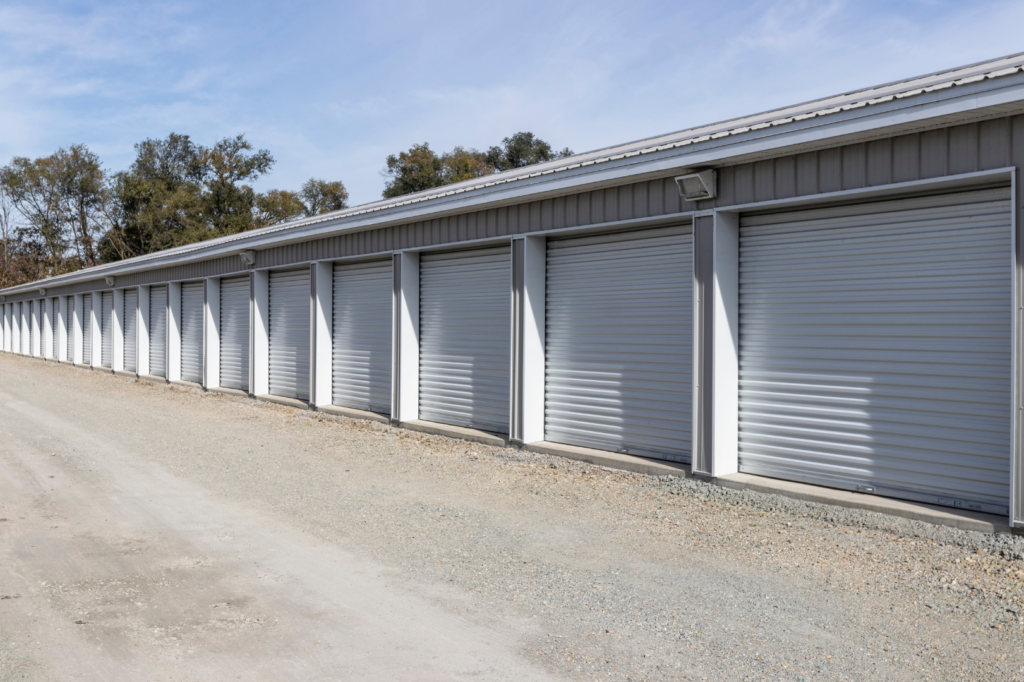
- Choose your setup: Indoor vehicle units (popular for cars and motorcycles), outdoor uncovered parking, or covered outdoor parking—availability varies by location.
- Confirm the fit: Verify door height, aisle width, turning clearance, and any size limits for cars, bikes, trailers, RVs, and boats at your site.
- Working condition only: Most facilities require vehicles to be in operating condition; non‑running vehicles are typically prohibited.
- Fast, secure entry: Look for electronic gates with unique PINs or keyless/app access, paired with bright lighting and 24/7 video surveillance.
- Know the rules: Storage use only—no living in units, no workshops or repairs on‑site, and no tailgating others through gates.
Alternatives if you don’t need full 24/7 access
If midnight runs aren’t a must, you can still get plenty of flexibility without true 24 hour access self storage. Many reputable facilities offer generous extended gate hours that cover early mornings and late evenings, along with climate‑controlled, ground‑floor units that make quick trips simple. Pick options that match your routine so you aren’t paying (or planning) around overnight visits you won’t use.
- Extended gate hours: Many sites post long windows (commonly 6 a.m.–10 p.m., and some 6 a.m.–9 p.m.). Confirm exact hours and holiday policies.
- Closer, easier access: Choose ground‑floor or drive‑up units near home or along your commute to cut travel and loading time.
- Smaller or locker units: Ideal for infrequent grabs of documents, decor, or gear without needing round‑the‑clock entry.
- Portable storage containers: Load at your driveway and schedule pickup—no late‑night facility trips required.
- Short, targeted rentals: Month‑to‑month terms let you time access around a move or project without needing overnight availability.
Where to find 24/7 access locations (national and local)
Start broad, then verify. Many listings say “extended hours” when you really need true 24 hour access self storage. National brands, local operators, and comparison sites all advertise 24/7—your job is to confirm the exact access window and how you’ll get in (PIN, fob, or app) before you book.
- National brands: Extra Space Storage advertises 24-hour access at 1,300+ locations, with many others offering extended hours (often 6 a.m.–10 p.m.). CubeSmart has select 24/7 sites. Public Storage typically posts 6 a.m.–9 p.m. U‑Haul access varies by facility.
- Comparison sites: Use the “24-hour access” filter on major marketplaces (e.g., SelfStorage.com, SpareFoot), then call to confirm true 24/7 at the exact property.
- Map search: Try “24/7 storage + your city” on Google Maps; check each site’s access page for “24/7 access,” “keyless/app entry,” and climate details.
- Local operators: Many modern, family‑owned facilities with keyless systems offer genuine 24/7; ask about video coverage, electronic gate control, and after‑hours rules.
- Final check: Confirm the access window, any blackout dates, and whether 24/7 applies to your specific unit type (indoor, drive‑up, vehicle).
24/7 self storage in Sioux City, IA: what to expect
If you’re searching for 24 hour access self storage in Sioux City, you can expect modern, app-driven entry paired with strong security and climate protection. Local, family-owned operators like Keyless Storage focus on convenience: tap your phone to get through the gate and into your unit any time, skip office lines with online rental, and keep sensitive items safe in a fully climate-controlled building—helpful during Sioux City’s weather swings.
- True 24/7 entry: Smartphone-enabled, keyless access to gates, doors, and your unit—no keys to lose.
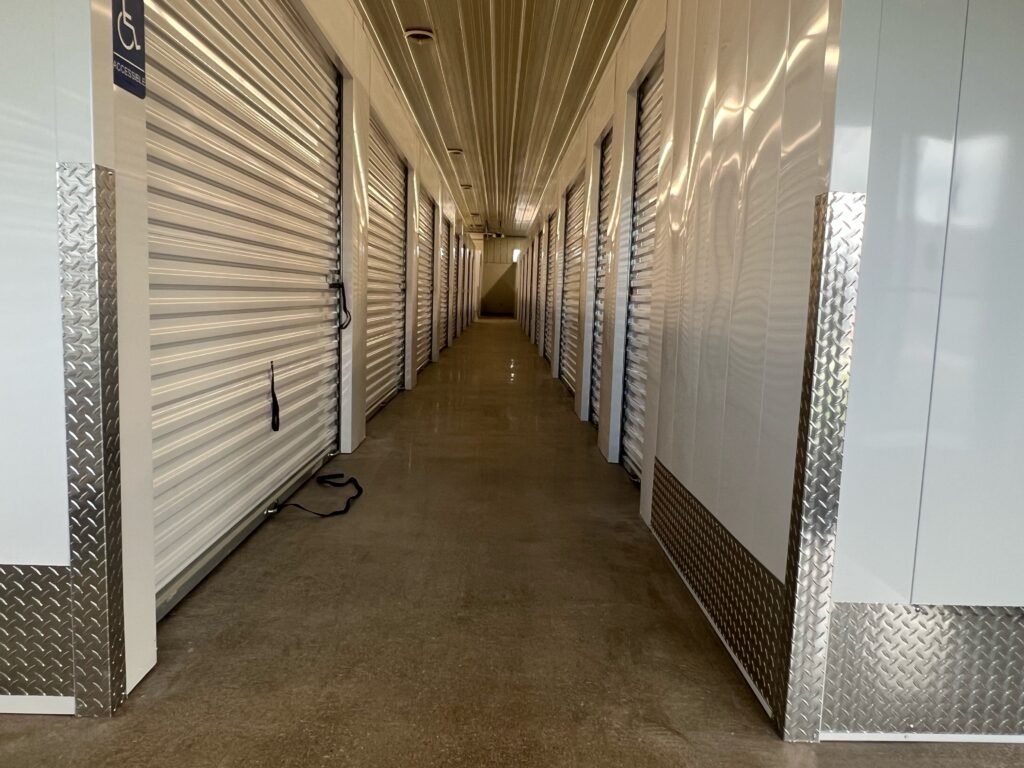
- 100% climate control: Temperature and humidity-controlled units protect furniture, electronics, photos, and inventory.
- Ground-floor convenience: Every unit on the ground level for faster loading and unloading.
- Continuous security: 24/7 video surveillance and electronic gate control tied to your account.
- Flexible sizes: Common options from 5×5 to 10×20 to fit apartments, households, or business stock.
- Instant online rental: Book in minutes, manage your account digitally, and use month-to-month terms.
- Waitlist support: Join a queue if your ideal size isn’t available.
- Competitive local rates: Transparent pricing without paying for access you can’t use.
How to rent a 24/7 access unit online step-by-step
Booking a 24 hour access self storage unit takes just a few minutes if you know what to check. Confirm true 24/7 entry (not just extended hours), verify climate control, and review the first‑month total before you e‑sign. Here’s a concise, click‑to‑keys path:
- Search and filter: Choose your city, filter for “24/7 access,” climate control, and your target size.
- Confirm true 24/7: Read the access policy; call/chat if anything says “6 a.m.–10 p.m.” only.
- Compare pricing: Note base rent, promos, and fees (e.g., admin fee ~$29, lock charge ~$19.99).
- Pick your size/date: Select the unit and set your move‑in date/time; join the waitlist if needed.
- Create your account: Use your legal name, email, phone; set a strong password.
- Add ID and payment: Upload a photo ID, enter a card; leases are typically month‑to‑month.
- Choose insurance: Provide your homeowners/renters policy or select the facility’s plan.
- E‑sign the lease: Review after‑hours rules, prohibited items, and vehicle requirements.
- Get access credentials: Receive your
gate code,unit number, and app setup for keyless entry. - Prep move‑in: Charge your phone, save your
app login, and do a quick daytime test visit before your first late‑night run.
Tip: Screenshot your credentials and store them securely for offline use.
Insurance requirements and coverage for stored items
Insurance isn’t optional with 24 hour access self storage—it’s required. You can usually satisfy the lease with your existing homeowners or renters policy, or by purchasing a facility-backed storage insurance plan. Many operators note that their storage-specific coverage may offer more protection or lower premiums than your current policy. Either way, confirm your coverage before move‑in so your unit is protected from day one and your access credentials aren’t delayed.
- Use an existing policy: Ask your insurer if your homeowners/renters coverage extends to off‑site storage and what limits apply.
- Choose a facility plan: If your policy doesn’t cover stored items (or limits are low), select the on‑site storage insurance during checkout.
- Know the costs and terms: Expect a required policy plus standard one‑time fees (e.g., admin, lock) shown at booking; leases are typically month‑to‑month.
- Match coverage to value: Estimate replacement value of what you’ll store and pick a limit accordingly.
- Follow restrictions: Don’t store prohibited items (e.g., food, combustibles, non‑working vehicles); violations can jeopardize your rental status.
Key takeaways
24 hour access self storage gives you real schedule freedom—just make sure you’re getting true 24/7 entry, not extended hours. For smooth, safe late‑night visits, favor keyless, app-based access layered with strong security and climate control that protects your items year‑round.
- Confirm access: True 24/7 vs. 6 a.m.–10 p.m. extended hours.
- Go keyless: App/PIN entry reduces lockouts and speeds visits.
- Layer security: Bright lighting, 24/7 video, gate control, alarmed units.
- Protect items: Climate control typically maintains 55–80°F; ask about humidity/heated options.
- Know costs: Month‑to‑month leases; common fees include admin ($29), lock ($19.99); insurance required.
- Follow rules: No living/working in units; no hazardous or perishable items.
- Match the size: Pick the smallest unit that fits your load and loading style.
Ready to rent in Sioux City? Book a 24/7, climate‑controlled, keyless unit at Keyless Storage in minutes.