Types of Inventory Systems: 11 Examples, Pros & Cons (2025)
Too much stock drains cash. Too little stock loses sales. And somewhere between a spreadsheet that never matches the shelf and a software demo that promises the moon, you still need a practical way to keep count, reorder on time, and fulfill without surprises. Whether you run a shop, a warehouse, or a production line, picking the right inventory system—periodic vs. perpetual, barcode vs. RFID, JIT vs. safety stock—shapes accuracy, costs, and customer experience.
This guide gives you a clear, up-to-date tour of 11 common inventory systems and methods for 2025. For each, you’ll see how it works, who it’s best for, plus real pros and cons: from manual and periodic counts to perpetual tracking, barcode and RFID layers, planning models like EOQ, reorder points, and MRP, and fulfillment approaches like dropshipping and consignment. Use it to compare options side by side, avoid common pitfalls, and choose a setup that fits your volume, budget, and lead times—starting with quick wins and building toward real-time control as you grow. Let’s break down the options.
1. Manual inventory system (paper/spreadsheets)
A manual inventory system is the simplest of the types of inventory systems: you track stock with pen-and-paper forms or spreadsheets and update counts by hand. It’s inexpensive and easy to start, but accuracy and speed depend entirely on your team’s discipline and consistency.
How it works
Staff record receipts and issues as items move, then reconcile on a schedule (daily, weekly, or monthly) with a physical count. Spreadsheets or stock cards act as the single source of truth; when levels look low, someone places an order. There’s no real-time visibility—numbers are only as current as the last update.
Best for
Manual tracking fits small operations with low SKU counts, predictable turnover, and a single site. It’s also a practical stopgap for teams validating demand before investing in software.
- Very small teams: Owner-operators and pop-ups.
- Low complexity: Few products, simple units of measure.
- Tight budgets: No upfront software or hardware costs.
Pros
Before you scale, the biggest advantages are speed to start and total control over your process.
- Lowest cost to launch: Paper/spreadsheets are essentially free.
- Flexible and familiar: Customize fields and forms instantly.
- No training barrier: Most staff can use it on day one.
Cons
As volume grows, the downsides compound and risk spills into cash flow and service levels.
- Error-prone: Typos, missed entries, and lost sheets are common.
- No real-time data: Hard to prevent stockouts or overstocking.
- Not scalable: Multi-location or higher SKU counts become unmanageable.
- Limited audit trail: Difficult root-cause analysis for discrepancies.
2. Periodic inventory system
Among the classic types of inventory systems, the periodic inventory system trades real-time accuracy for low cost and simplicity. Instead of updating stock continuously, you perform scheduled counts and true-up records at set intervals. It’s a pragmatic step up from purely manual tracking when you need discipline without investing in scanners and software right away.
How it works
You choose a cadence—monthly, quarterly, or annually—pause operations (or count during slow hours), physically count items, and reconcile book vs. shelf. Cost of goods sold is updated at period-end using COGS = Beginning Inventory + Purchases - Ending Inventory. Between counts, quantities are estimates, so reorders rely on experience, vendor schedules, or basic thresholds. Barcodes can speed counting, but visibility remains non–real-time.
Best for
Teams that value predictable routines and lower tooling costs over always-on data.
- Single-site retailers/wholesalers: Limited SKUs and moderate turnover.
- Stable demand patterns: Longer lead times and few promotions.
- Budget-conscious operations: Not ready for perpetual software or RFID.
- Seasonal businesses: Can align counts with off-peak periods.
Pros
- Lower cost than perpetual: Minimal software/hardware requirements.
- Simple to operate: Clear, repeatable process with defined checkpoints.
- Good for scheduled audits: Shrink and discrepancies surface at count time.
- Easy onboarding: Lightweight training and documentation.
Cons
- No real-time visibility: Higher risk of stockouts or excess between counts.
- Labor spikes during counts: Possible shutdowns or overtime to reconcile.
- Accuracy drifts between cycles: Data reliability erodes as time passes.
- Limited scalability: Struggles with many SKUs, fast movers, or multi-location needs.
3. Perpetual inventory system
If the periodic model accepts lag as the cost of simplicity, a perpetual inventory system makes the opposite bet: every receipt, pick, return, and adjustment updates stock in real time. Powered by POS integrations, barcode or RFID scans, and inventory/ERP software, it delivers continuous visibility, tighter control, and faster, data-driven replenishment—often the most accurate choice among the major types of inventory systems.
How it works
Each transaction increments or decrements on-hand balances instantly across locations. Reorder points and safety stock trigger auto-POs or alerts the moment levels dip. Serial/lot tracking and cycle counting maintain accuracy without shutting down operations. Integrated dashboards surface KPIs like turnover, fill rate, and days in inventory so teams can course-correct quickly.
Best for
Perpetual systems shine where speed, scale, and traceability matter most.
- Multi-location or omnichannel operations: Real-time allocation and order routing.
- High SKU count or fast movers: Constant updates prevent stockouts/overstocking.
- Regulated/traceable goods: Lot/serial tracking and audit trails.
- Manufacturing and 3PLs: Works alongside MRP, WMS, and procurement workflows.
Pros
The gains are operational and financial—better decisions with fewer surprises.
- Real-time visibility: Accurate counts across sites and channels.
- Fewer stockouts/excess: Automated reordering at precise thresholds.
- Traceability: Lot/serial control for quality and recalls.
- Actionable KPIs: Turnover, DSI, and fill rate available on demand.
- Supports scale: Cleaner handoffs with POS, WMS, and ERP.
Cons
Perpetual pays off, but only with strong processes and disciplined data capture.
- Higher upfront costs: Software, scanners, labeling, and setup.
- Change management: Training and SOPs to ensure every movement is recorded.
- Integration complexity: POS/ERP/WMS connections to maintain.
- Data dependence: Bad scans or missed transactions erode accuracy.
4. Barcode inventory system
Among the most practical types of inventory systems, a barcode inventory system adds speed and accuracy without breaking the bank. By assigning each SKU a scannable code and tying scans to your software or POS, you move from guesswork to data-backed counts at every touchpoint.
How it works
Each item, case, or location gets a unique barcode. Staff scan during receiving, putaway, picking, transfers, returns, and cycle counts; the system updates quantities immediately (or at batch upload) and logs who did what, when, and where.
- Label + scan: Print/apply barcodes; scan to increment/decrement on-hand.
- System sync: POS/WMS/ERP records update in real time or scheduled batches.
- Audit trail: Time-stamped scans support cycle counting and discrepancy checks.
Best for
Use barcodes when you’ve outgrown spreadsheets or periodic counts and need better control without the cost of RFID.
- Retail and e-commerce: Faster POS and order picking with fewer errors.
- Wholesale/DCs: Higher SKU counts and multi-location transfers.
- Light manufacturing: Component issues/receipts and WIP visibility.
- Teams scaling to perpetual: A stepping stone to real-time tracking.
Pros
Barcodes offer a high ROI by cutting manual errors and accelerating operations.
- Accuracy boost: Fewer keying mistakes vs. manual entry.
- Real-time visibility: Scans feed perpetual systems instantly.
- Faster counts: Streamlined receiving and cycle counting.
- Traceable work: User/time/location-stamped movements.
- Low cost: Inexpensive printers/scanners and easy training.
Cons
Success relies on disciplined scanning and consistent labeling standards.
- Process dependence: Missed scans break data integrity.
- Label management: Printing, placement, and rework add overhead.
- Hardware upkeep: Devices need charging, repairs, and spares.
- Line-of-sight required: Slower than RFID for dense or hidden items.
- Change management: SOPs and training needed across shifts.
5. RFID inventory system
RFID pushes beyond barcodes by capturing many items at once without line-of-sight. As one of the more advanced types of inventory systems, it uses tagged items and fixed or handheld readers to update counts and locations in near real time—speeding cycle counts, tightening control, and cutting shrink.
How it works
RFID tags carry a unique identifier; when they pass near a reader, the tag transmits data that your inventory software records as movement or on‑hand change. Low-frequency (often passive) tags have short range, while high-frequency tags balance range and reliability. Gate readers at docks and handhelds on the floor automate receipts, transfers, and audits.
- Tag + reader events: Items are tagged; readers capture passes to increment/decrement stock.
- Batch reads: Multiple items are detected simultaneously—no individual scans.
- System sync: Updates flow to WMS/ERP for real-time visibility and traceability.
Best for
RFID fits when speed, visibility, and loss prevention outweigh upfront cost.
- High-value or theft‑prone SKUs: Tighter control and deterrence.
- High-throughput DCs/retail: Fast counts without line-of-sight bottlenecks.
- Traceability needs: Lot/serial workflows and movement history.
- Frequent cycle counting: Rapid, routine verification without shutdowns.
Pros
- Line‑of‑sight not required: Read through cases, totes, or racks.
- Fast, multi-item reads: Accelerates receiving, picking, and counts.
- Real-time visibility: Location/movement tracking improves accuracy.
- Shrink reduction: Better oversight lowers theft and loss risk.
- Scales with volume: Handles dense SKU mixes and busy docks.
Cons
- Higher upfront investment: Tags, readers, portals, and software.
- Process + change management: Tagging standards and training required.
- Range varies by device: Capabilities depend on LF vs. HF choices.
- Overkill for simple ops: Many businesses reserve RFID for high-value items.
6. Just-in-time (JIT) inventory
JIT is a timing strategy within the types of inventory systems that minimizes on‑hand stock by synchronizing deliveries with actual production or sales. Pioneered by Toyota, it replaces big safety cushions with tight supplier coordination and dependable demand signals. Done well, it cuts storage costs, reduces spoilage, and frees cash—yet it also raises exposure to supply disruptions or sudden demand spikes.
How it works
Instead of ordering in bulk “just in case,” teams place smaller, frequent orders tied to the production schedule or real demand. Suppliers ship on precise schedules, lot sizes shrink, and lead times matter. Replenishment relies on pull signals and disciplined SOPs; when levels dip to triggers, orders fire so inventory arrives “just in time” to be used, not stored.
Best for
Use JIT when predictability and supplier reliability outweigh the need for big buffers.
- Stable demand and short lead times: Fewer surprises, easier cadence.
- Strong supplier partnerships: Reliable on‑time delivery and quality.
- High carrying‑cost items: Capital‑intensive or bulky goods.
- Perishables or fast‑aging SKUs: Less spoilage and obsolescence.
Pros
The payoffs concentrate around cost, flow, and focus.
- Lower carrying costs: Less money tied up in stock.
- Improved cash flow: Pay closer to when goods are used/sold.
- Less waste: Fewer write‑offs from damage or aging.
- Lean operations: Smaller lots, cleaner floor space, faster turns.
Cons
JIT’s precision can backfire when variability hits.
- Vulnerable to disruptions: Delays ripple into stockouts quickly.
- Demand spikes hurt: Little buffer to absorb surges.
- Requires accurate signals: Forecast and schedule errors are costly.
- More coordination overhead: Tight timing increases planning and freight complexity.
7. Material requirements planning (MRP)
Among the most powerful types of inventory systems for manufacturers, MRP is a computerized planning approach that uses sales forecasts or orders, bills of materials (BOMs), on‑hand balances, and lead times to time‑phase what to buy, make, and assemble. By exploding finished‑goods demand into component requirements, it synchronizes supply with demand, helping reduce inventory levels, improve on‑time delivery, and better utilize labor and equipment. The tradeoff: MRP demands accurate data, disciplined maintenance, and thoughtful implementation.
How it works
MRP “explodes” demand from finished goods down the BOM to calculate gross and net requirements at each level, offsets those needs by lead time, then issues time‑phased planned orders for purchasing and production. It continuously reconciles what’s needed with what’s on hand and what’s already on order, and it flags reschedules or shortages so teams can act before they become line‑stoppers.
- Key inputs: Forecasts or firm orders, BOMs and routings, on‑hand inventory and safety stock, open POs/work orders, supplier and processing lead times.
- Primary outputs: Time‑phased planned orders and reschedule messages, shortage/exception reports for purchasing and production.
Best for
MRP fits operations where parts, sub‑assemblies, and timing complexity outgrow spreadsheets and simple reorder rules, and where coordination across purchasing, production, and inventory is essential.
- Discrete manufacturers: Multi‑level BOMs (electronics, machinery, consumer goods).
- Make‑to‑stock/make‑to‑order hybrids: Need both forecast and order‑driven plans.
- Teams with ERP/WMS data discipline: Ready to maintain clean masters and lead times.
Pros
Used well, MRP turns data into a reliable schedule that cuts firefighting and excess stock.
- Lower inventory with higher service: Supply is time‑phased to demand.
- Better resource utilization: Smoother loads for labor, machines, and suppliers.
- Earlier exception visibility: Actionable reschedule and shortage signals.
Cons
The benefits hinge on data quality and process maturity; weak inputs erode outcomes.
- Data‑intensive and complex: Requires accurate BOMs, lead times, and parameters.
- Forecast sensitivity: Errors ripple into overproduction or shortages.
- Implementation cost/change management: Software, training, and ongoing maintenance.
8. Economic order quantity (EOQ)
EOQ is a classic formula used to decide how much to order each time to minimize the combined cost of ordering and holding stock. It isn’t a tracking tool but a planning rule you can layer onto most types of inventory systems—manual, periodic, or perpetual—to standardize order sizes, smooth cash flow, and reduce total inventory cost when demand is reasonably steady.
How it works
EOQ calculates the “sweet spot” order size in units using the cost of placing an order, annual demand, and annual holding cost per unit. You then pair that order size with your reorder point to decide when to buy; EOQ sets “how much,” not “when.”
EOQ = sqrt(2DS/H)
- D: Annual demand (units/year)
- S: Fixed cost per order (admin, freight, setup)
- H: Annual holding cost per unit (storage, capital, shrink)
Assumptions include stable demand/lead times and fixed costs; it doesn’t natively handle quantity discounts or minimum order quantities.
Best for
Use EOQ when you want a disciplined, data-backed order size for stable items.
- Predictable SKUs: Steady demand and lead times.
- Cost-sensitive teams: Need to balance ordering vs. carrying costs.
- Single or few locations: Simple replenishment paths.
- Perpetual or periodic data: Works with either as long as inputs are accurate.
Pros
- Lower total cost: Balances ordering and holding to reduce waste.
- Simple and explainable: Quick to compute and train.
- Easy to automate: Can drive purchase proposals in inventory/ERP systems.
- Supports KPIs: Encourages better turnover and fewer emergency buys.
Cons
- Rigid assumptions: Ignores promos, seasonality, and demand spikes.
- Price breaks/MOQs not included: Needs adjustments for discounts or supplier minimums.
- Input sensitivity: Bad cost or demand data skews results.
- No timing logic: Must be paired with a reorder point and safety stock to prevent stockouts.
9. Reorder point and safety stock
Reorder points and safety stock are the nuts-and-bolts controls that sit beneath most types of inventory systems. Together they answer two core questions: when to buy next (reorder point) and how much buffer to keep (safety stock) so you can ride out demand spikes or supply delays without constant firefighting.
How it works
A reorder point (ROP) triggers a buy when on‑hand plus inbound falls to a threshold. In practice, teams set it to cover expected demand during supplier lead time plus a buffer: ROP = Demand during lead time + Safety stock. Safety stock is extra inventory reserved to protect a target service level amid variability in demand and lead times. You can run ROPs with manual Kanban cards, periodic reviews, or perpetual systems that fire automatic POs and alerts, and you can pair them with EOQ to decide “how much” once “when” is reached. Reassess ROPs and buffers as seasons, delivery times, and sales patterns change.
Best for
Use ROPs and safety stock when you want predictable replenishment without overcomplicating your stack.
- Core SKUs with steady cadence: Everyday items where stockouts hurt.
- Variable lead times or demand: Buffers absorb supplier delays and spikes.
- Multi-location/omnichannel: Location-specific thresholds reflect local demand.
- Any system maturity: Works with manual, periodic, or perpetual setups.
Pros
Simple rules deliver outsized stability when maintained with current data.
- Fewer stockouts: Protects service levels during variability.
- Easy to operationalize: Clear triggers and responsibilities.
- Automation-friendly: Perpetual systems can generate POs at ROP.
- Flexible per SKU: Different thresholds by item, site, or season.
Cons
Set-and-forget is the enemy; thresholds drift as conditions change.
- Capital tied up if too high: Carrying costs creep up.
- Stockouts if too low: Missed sales and rush freight.
- Data dependence: Bad lead times or stale demand skews results.
- Maintenance overhead: Requires periodic reviews to match seasons and supplier performance.
10. Dropshipping
Dropshipping sits on the edge of the types of inventory systems: it’s a fulfillment model where you sell first and your supplier ships directly to the customer. You don’t store stock, which slashes carrying costs, but you trade control for convenience and must rely on supplier accuracy.
How it works
A customer orders from your store, you transmit the order to a supplier or manufacturer, and they pack and ship under your brand. Inventory visibility comes from integrated feeds; without them, you risk selling items that are already out of stock. Returns are either routed back to the supplier or received by you, adding coordination overhead.
Best for
Use dropshipping when testing new products, expanding assortments, or launching with minimal capital, and when speed to market matters more than tight margin control.
- Low-capital launches: Start selling without buying inventory upfront.
- Assortment expansion: Add long-tail SKUs you can’t justify warehousing.
- Seasonal or trend items: Avoid overstock on demand fads.
- Remote fulfillment needs: Ship from suppliers closer to end customers.
Pros
The benefits are about cash, flexibility, and speed.
- Minimal carrying costs: No warehouse space or tied-up capital.
- Fast assortment tests: Validate demand before bulk buys.
- Scalable supply: Leverage multiple suppliers without new facilities.
- Geographic reach: Ship from supplier networks to reduce transit times.
Cons
Control and margins are the trade-offs you must plan for.
- Lower margins: Supplier fulfillment fees compress profit.
- Less control over CX: Packaging, QC, and ship speed depend on partners.
- Stock sync risk: Out-of-sync feeds cause backorders and cancellations.
- Returns complexity: Multi-party workflows increase cost and confusion.
11. Consignment inventory
Consignment inventory is a commercial arrangement within the types of inventory systems where the supplier retains ownership until the item sells, while the retailer displays, markets, and transacts the sale. It’s common in categories like apparel, home goods, and art because it lowers the retailer’s cash risk and helps suppliers reach new shelves. The tradeoff is coordination: clear terms, reliable counts, and timely settlements keep both sides confident.
How it works
The supplier places goods at the retailer’s site (or marketplace) but keeps title. When an item sells, the retailer remits an agreed share and records the reduction; unsold items can often be returned. Contracts define revenue split, payment timing, shrink accountability, and return windows. Operationally, you’ll want periodic or perpetual tracking plus cycle counts so book inventory matches what’s on the floor.
Best for
Consignment fits when access and assortment matter more than owning stock upfront.
- Boutiques and specialty retail: Apparel, décor, and art with uncertain demand.
- Testing new lines/markets: Validate sell-through before committing cash.
- Suppliers expanding reach: Place excess or new SKUs into additional channels.
Pros
Done well, both parties share upside while limiting risk.
- Lower upfront cost (retailer): Offer broader assortments without buying stock.
- Channel expansion (supplier): Gain shelf space and new customers.
- Test-and-learn agility: Try styles/variants and swap slow movers quickly.
Cons
Alignment and accountability must be explicit to avoid friction.
- Delayed cash (supplier): Payment only after sale; exposure to slow movers.
- Operational complexity (both): Shared ownership demands accurate counts and clear SOPs.
- Shrink/damage disputes: Responsibility and write-offs require pre-set rules.
Key takeaways
Inventory control gets easier when you separate choices into layers: a core tracking system (manual, periodic, or perpetual), enabling tech (barcodes before RFID), replenishment rules (EOQ, reorder points, safety stock), planning (MRP), and commercial models (JIT, dropshipping, consignment). Match each layer to SKU velocity, lead times, supplier reliability, compliance needs, and budget—and review settings as seasons and forecasts change.
- Choose a core system: Start periodic for simplicity; move to perpetual as SKUs, speed, or locations scale.
- Add scanning smartly: Barcodes first for accuracy and cost; consider RFID when speed, traceability, or shrink justify it.
- Stabilize replenishment: Pair EOQ for “how much” with reorder points + safety stock for “when.”
- Plan manufacturing: Use MRP when multi‑level BOMs and lead times outgrow spreadsheets.
- Balance risk and cash: JIT cuts carrying costs but needs reliable supply; dropshipping/consignment trade control for cash‑light growth.
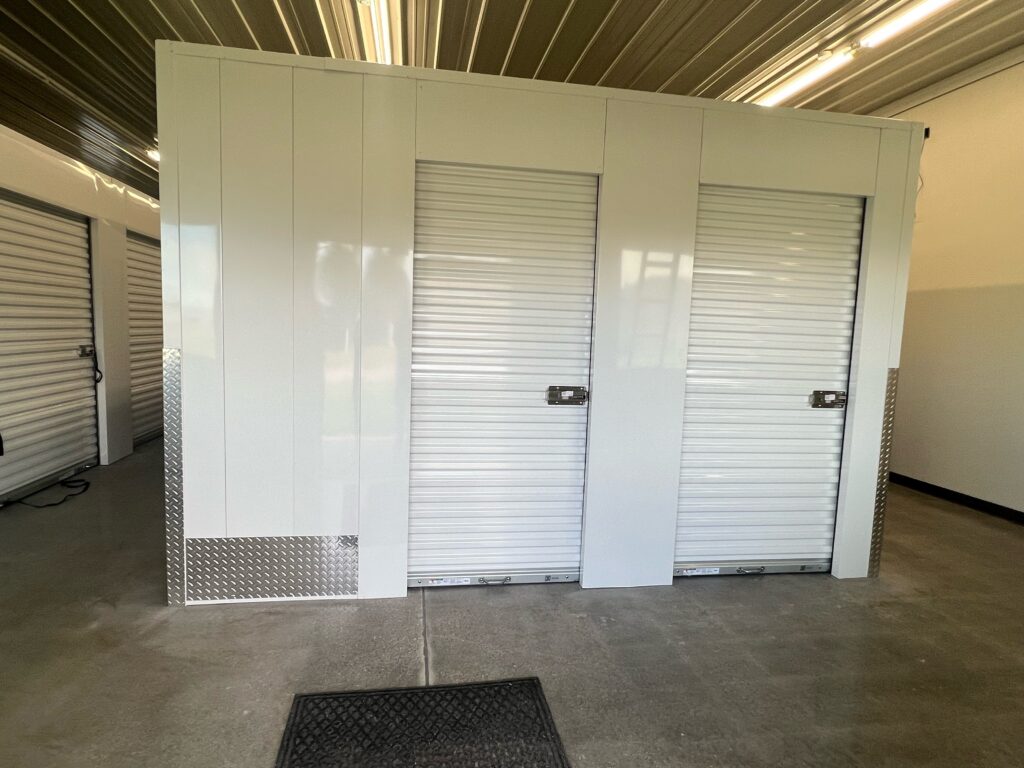
Need secure overflow for seasonal stock or parts? Keep items protected and accessible 24/7 in secure, climate‑controlled units at Keyless Storage.